
Table of Contents
A MagSafe case is a phone case with a ring of magnets built into the back, lined up with the magnets inside your iPhone so that chargers, wallets, car mounts and stands still snap on through the case. Without that ring, most cases block or weaken the magnetic grip Apple built into every iPhone since the iPhone 12, and your MagSafe charger slides around or drops off. So if you’ve been wondering what a MagSafe case is and whether the label actually matters when you shop, the short version is this: it keeps the magnets working, it keeps wireless charging lined up, and it opens the door to a whole range of snap-on accessories. Below, we’ll cover how the magnets work, what “MagSafe compatible” really means, the downsides nobody mentions on the box, and how to tell whether you need one at all.
What does MagSafe mean on a phone case?
When you see “MagSafe” on a phone case, it means the case carries its own magnet array that matches the circle of magnets inside a MagSafe iPhone. Apple introduced MagSafe for iPhone with the iPhone 12 in 2020, reusing a name it had previously used for the magnetic charging plug on MacBooks (the history of MagSafe on Wikipedia covers both).
The iPhone itself already has magnets. The problem is the case. A regular plastic or silicone case adds a millimeter or two of distance between the phone and whatever you’re attaching, and magnetic pull drops off fast with distance. A MagSafe phone case solves that by putting a second ring of magnets on the outside, so accessories grab the case firmly instead of trying to reach the phone through it.
So the MagSafe case meaning is practical rather than technical: it’s a case that doesn’t break the magnetic features your iPhone already has.

How does a MagSafe case work?

A MagSafe case works by sandwiching the case material between two sets of magnets: the ones in your iPhone and the ones in the case. The case magnets stick to the phone, and accessories stick to the case. Three pieces make that happen.
The magnet ring
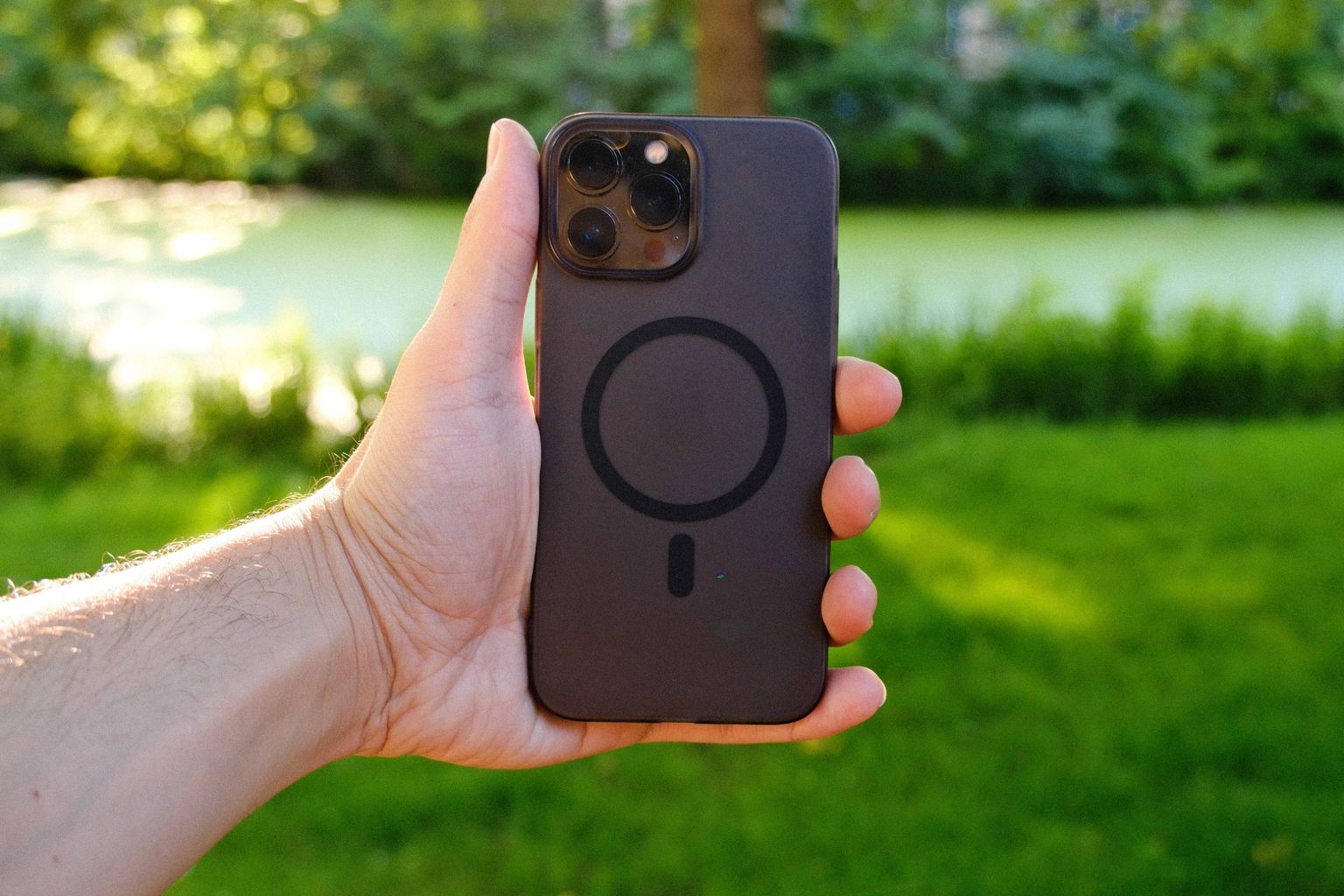
The main part is a circle of small magnets embedded in the back of the case. On cheaper cases you can sometimes see it as a faint ring printed or molded on the back. Its job is to hold accessories and keep a charger centered over the phone’s charging coil.
The alignment magnet
Below the ring, MagSafe uses a short magnetic strip that acts like a key. It stops a wallet or charger from spinning around the circle and keeps it oriented correctly. A good case includes this strip too. Plenty of cheap cases skip it, which is why a wallet might rotate sideways in your pocket.
The NFC tag (Apple’s own cases)
Apple’s official MagSafe cases also contain a small NFC chip. That’s why a colored animation pops up on screen when you snap one on: the phone reads the tag and recognizes the accessory. Most third-party cases leave this out, and you don’t lose anything important without it. It’s a nice touch, nothing more.
What does a MagSafe case do for you?
A MagSafe case lets you use your iPhone’s magnetic features with a case on, which most people want anyway. Here’s what that looks like day to day.
Faster, properly aligned wireless charging
Regular Qi wireless pads charge an iPhone at up to 7.5W, and only if you place the phone in the right spot. MagSafe chargers snap into the correct position every time and deliver more power: up to 15W on iPhone 12 through iPhone 15 models, and up to 25W on iPhone 16 and iPhone 17 models (not the iPhone 16e) using Apple’s newer MagSafe Charger with a 30W adapter, according to Apple’s 2025 charger details reported by MacTrast. A MagSafe case keeps those numbers achievable. A thick non-magnetic case can leave you with a charger that slips off the moment you pick the phone up.
Snap-on wallets, grips and stands
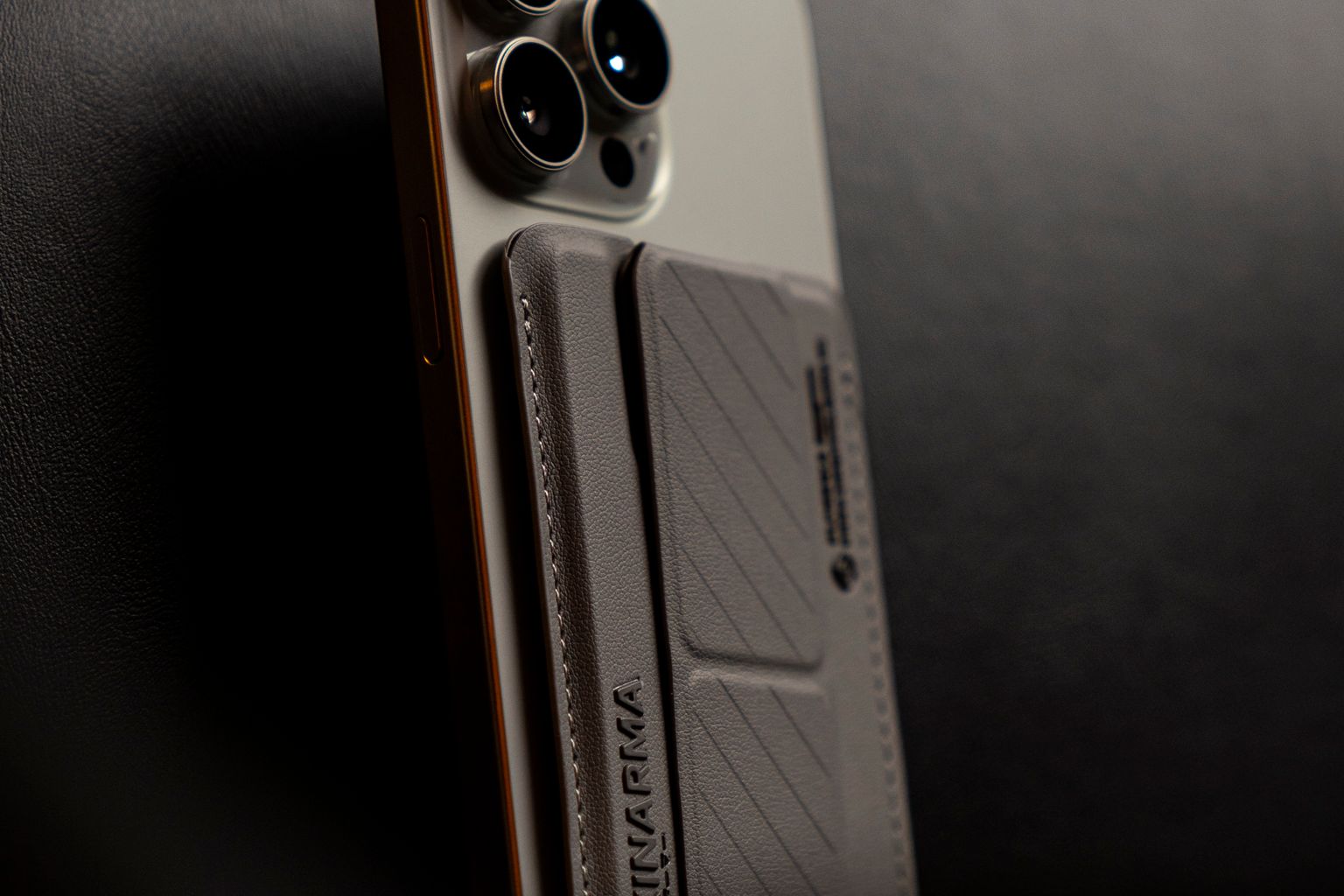
Card wallets, finger rings, kickstands and pop-out grips all attach magnetically. With a MagSafe case you can add one for a night out and pull it off when you’re done, instead of committing to a bulky wallet case full time.
Car mounts and desk stands
This is the one most people end up loving. A magnetic car vent mount lets you drop the phone on with one hand and it stays put over bumps. The same goes for bedside and desk stands that charge while holding the phone upright. Magnetic battery packs work the same way, and if you’re shopping for one, our roundup of the best power banks is a good place to compare capacity and size.
MagSafe case vs regular magnetic case: what’s the difference?
The difference between a MagSafe case and a regular magnetic case is the layout of the magnets. A true MagSafe case copies Apple’s ring and alignment strip, so it lines up with the phone’s charging coil and works with any MagSafe accessory. A “regular” magnetic case often uses a metal plate or a couple of strong magnets in random spots, built mainly for one brand’s car mount.
| Feature | MagSafe case | Regular magnetic case |
|---|---|---|
| Magnet layout | Ring plus alignment strip, matched to the iPhone | Metal plate or a few loose magnets |
| Wireless charging | Centers the charger over the coil | Metal plates can block or heat up charging |
| Accessory support | Any MagSafe or Qi2 accessory | Usually only the maker’s own mount |
| Wallet stays straight | Yes, if it has the alignment strip | Often rotates or slides |
That metal plate issue is worth knowing about. A steel plate inside a case sits right between the phone and a wireless charger, and that can block charging or make it run warm. If you charge wirelessly, skip plate-style cases.
What’s the difference between “MagSafe compatible” and official MagSafe cases?
“MagSafe compatible” usually means a third-party case with its own built-in magnet ring that works with MagSafe chargers and accessories. It doesn’t mean Apple tested it. Official MagSafe cases are either made by Apple or sold under Apple’s “Made for MagSafe” program, which requires manufacturers to meet Apple’s specs.
In practice, plenty of MagSafe compatible cases hold just as well as Apple’s. The weak ones tend to use fewer or thinner magnets, so a wallet slides off when you pull the phone from a tight pocket. Since 2023 there’s also a third label to look for: Qi2. The Wireless Power Consortium built its Qi2 standard around a magnetic profile based on Apple’s MagSafe design, as TechCrunch reported when Qi2 was announced. A case or charger with Qi2 certification has been tested against that shared standard, which is a decent sign of quality.
Do you need a MagSafe case for wireless charging?
No, you don’t need a MagSafe case to charge wirelessly. Any iPhone from the iPhone 8 onward charges on a standard Qi pad through a normal thin case. You need a MagSafe case if you want the magnetic part: chargers that snap on and stay aligned, plus wallets, mounts and stands.
A MagSafe charger will also work through a thin non-magnetic case, but the grip is weaker and it can shift. With a thick rugged case, it may not stick at all. So it comes down to how you charge and what you clip on. If you only ever drop your phone on a flat pad at night, a regular case is fine. If you use a car mount, a magnetic stand, or a snap-on wallet, get the MagSafe version. The price gap between the two is usually small.
Which phones work with a MagSafe case?
MagSafe cases are designed for iPhone 12 and newer models, including the iPhone 13, 14, 15, 16 and 17 lines and iPhone Air. The iPhone 16e is the exception: it doesn’t have MagSafe built in, so a magnetic case is the only way to get MagSafe accessory support on that model.
Cases are model-specific, so a case for the iPhone 15 Pro won’t fit an iPhone 16 Pro even though both use MagSafe. The camera bump and button positions change from year to year. If you’re picking between models first, our guide on which iPhone has the best camera can help narrow it down before you buy accessories.
On Android, it depends on the phone. Some newer Android phones now ship with Qi2 magnets built in, while others are labeled “Qi2 Ready,” which means they support the charging standard but need a magnetic case to hold accessories. For those phones, a magnetic case does the same job a MagSafe case does on an older iPhone.
What are the downsides of a MagSafe case?
MagSafe cases are mostly upside, but there are a few trade-offs to know before you buy.
- Credit cards and key fobs. Apple’s own MagSafe support guidance warns against placing credit cards, security badges, passports or key fobs between the iPhone and a MagSafe charger, since the magnets can damage magnetic strips and RFID chips. Take cards out of a wallet case before you charge.
- Leather marks. Apple notes that leather cases may show circular imprints from the charger over time. It’s cosmetic, but it bothers some people.
- A bit more weight and thickness. The magnet ring adds a few grams. You’ll barely notice on a slim case, but rugged MagSafe cases can feel chunky.
- Weak magnets on cheap cases. This is the most common complaint. A case can say “MagSafe” and still hold a wallet so loosely it falls off in your bag.
One thing that isn’t a downside: a MagSafe case doesn’t drain your battery. The magnets are passive, and even the NFC tag in Apple’s cases doesn’t need power from the phone to sit there.
How do you choose a good MagSafe case?
Start with how you’ll use it, then check a few details on the listing.
- Look for the alignment strip. Product photos or diagrams often show the ring with a small bar beneath it. If it’s just a circle, wallets and mounts may rotate.
- Check for Qi2 or Made for MagSafe labeling. Neither guarantees a great case, but both mean the magnets were tested against a real spec.
- Match the case to your accessories. Heavier wallets and car mounts on rough roads need stronger magnets. Reviews that mention “falls off” are a red flag.
- Pick a material you can live with. Clear cases yellow over time, silicone collects lint, and leather picks up those charger rings. TPU and polycarbonate blends are the low-maintenance middle ground.
- Confirm the exact model. iPhone 16 Pro and iPhone 16 Pro Max cases are not interchangeable, and neither fits a 17 series phone.
Conclusion
A MagSafe case is a regular-looking case with one important upgrade: a magnet ring that keeps your iPhone’s magnetic charging and accessories working. If you use any snap-on gear, from a car mount to a wallet to a power bank, it’s the case to buy, and it costs little more than a plain one. Look for the alignment strip and a Qi2 or Made for MagSafe label, and skip cheap cases with metal plates.


2 comments
[…] It doesn’t give your iPad its own phone number. If you keep your iPhone on a desk charger, a MagSafe case makes it easy to drop it on the stand and leave the calls to the […]
[…] accessory pricing follows the same pattern across its range. Our guide to what a MagSafe case is shows the same gap between Apple’s own accessories and compatible ones for […]