
Table of Contents
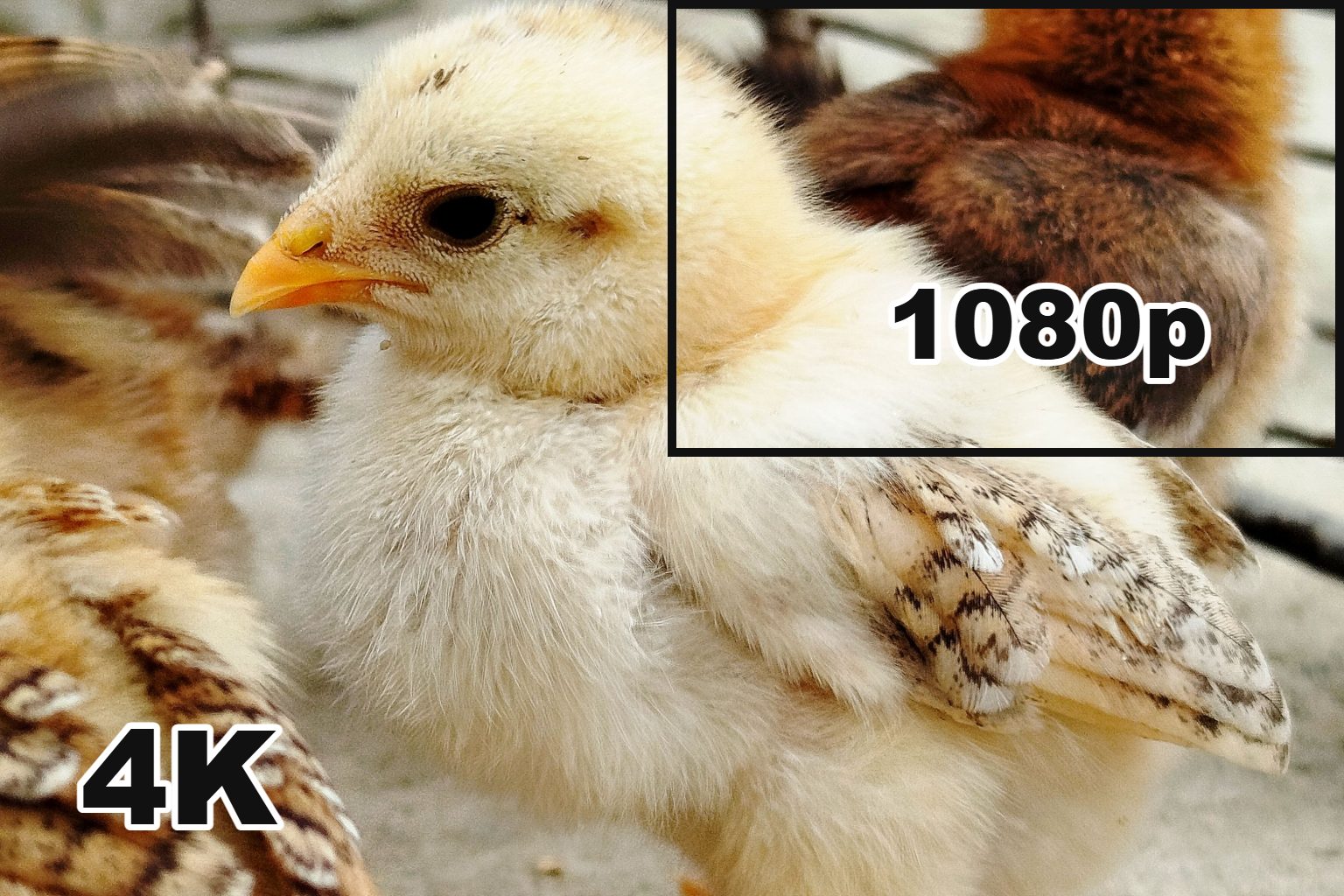
4K has four times the pixels of 1080p, so on paper the 4K vs 1080p fight is over before it starts. In your living room it’s closer than the spec sheet suggests. Whether you’ll see the extra detail comes down to three things: how big the screen is, how far away you sit, and whether you’re watching real 4K content. On a 55-inch TV viewed from a normal couch, most of the visible upgrade comes from HDR and a better panel, not from the pixels themselves. On a 27-inch monitor a couple of feet from your face, the jump in sharpness is obvious within seconds.
This guide walks through where 4K earns its price, where 1080p is still the smarter buy, and how to tell which camp you’re in.
What is the difference between 1080p and 4K?
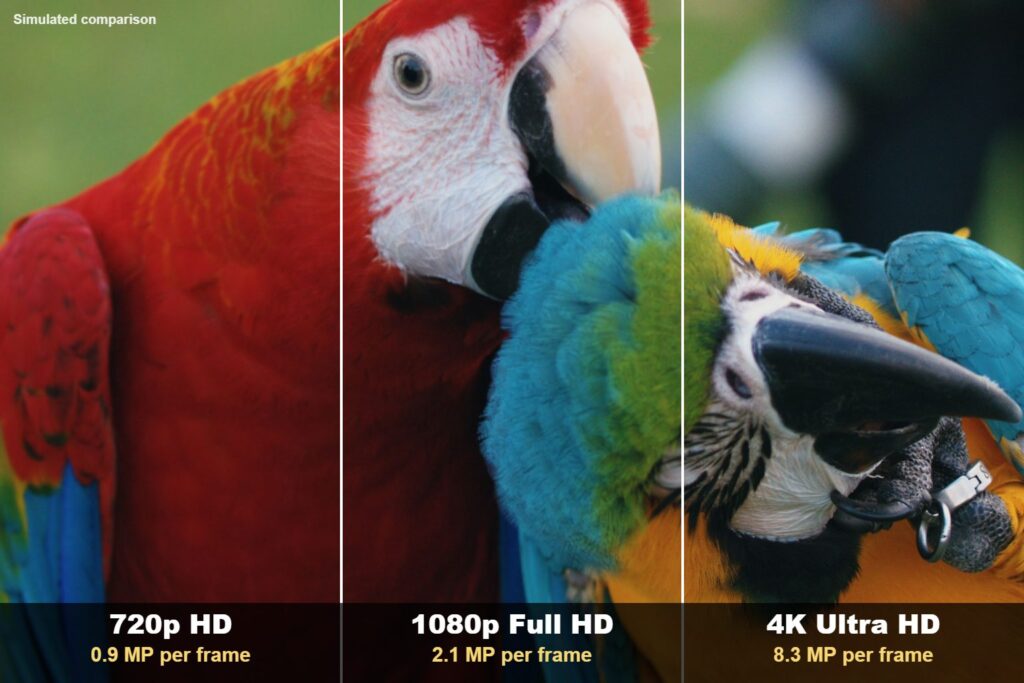
The difference between 1080p and 4K is pixel count. A 1080p (Full HD) image is 1920 pixels wide and 1080 tall, about 2.07 million pixels in total. A 4K UHD image is 3840 by 2160, or roughly 8.3 million pixels. That’s exactly double in each direction, which is why you’ll see 4K described as “four times sharper” than 1080p.
| 1080p | 4K UHD | |
|---|---|---|
| Resolution | 1920 x 1080 | 3840 x 2160 |
| Total pixels | about 2.07 million | about 8.29 million |
| Other names | Full HD, FHD | Ultra HD, UHD, 2160p |
| Typical uses | Budget TVs under 43″, most gaming monitors, Netflix Standard | Most TVs 43″ and up, UHD Blu-ray, Netflix Premium, current consoles |
More pixels means each one is smaller on the same size screen, so edges look cleaner and fine detail (hair, text, distant leaves) holds together instead of turning into soft blocks. The 4K resolution standard used in consumer TVs and monitors is 3840 x 2160. Cinema projectors use a slightly wider DCI 4K format at 4096 x 2160, but you won’t run into that on a TV.

Is 2160p the same as 4K?
For TVs and monitors, yes. “2160p” is just the vertical pixel count, following the same naming as 720p and 1080p, and it almost always refers to 3840 x 2160. One catch: some dash cams and action cameras record at 2880 x 2160 and call it 2160p, which isn’t true 4K. If a cheap camera’s “4K” claim looks too good to be true, check the actual resolution.
Is 1080p considered 4K or HD?
1080p is not 4K. It’s Full HD. Plain “HD” technically means 720p, though plenty of brands use “HD” loosely for 1080p too. If a listing just says “HD,” assume 720p until you see the numbers.
Can the human eye see the difference between 1080p and 4K?
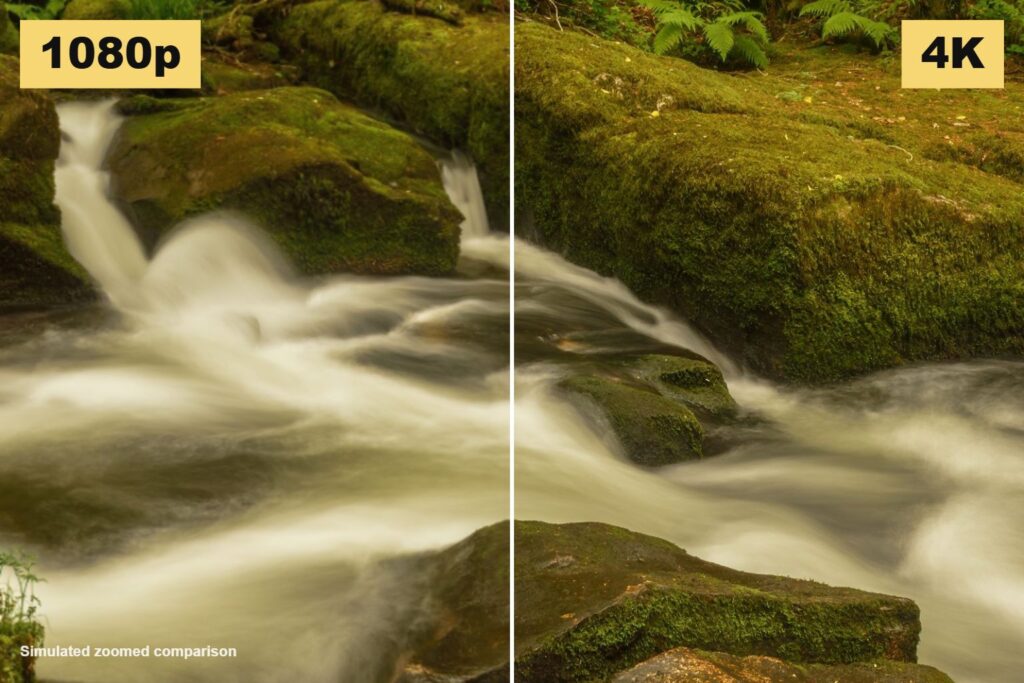
Yes, but only when you sit close enough. Someone with 20/20 vision can separate details about one arcminute apart (1/60th of a degree). Beyond a certain distance, the individual pixels on a 1080p screen are already too small to pick out, so packing in four times as many doesn’t add anything you can perceive.
We ran the numbers for common screen sizes. The table shows the distance at which a 1080p screen’s pixels shrink below what 20/20 eyes can resolve. Sit closer than that and 4K gives you visibly more detail. Sit farther and the two look much the same in terms of sharpness.
| Screen size | 1080p pixel density | 4K pixel density | 4K starts to matter closer than |
|---|---|---|---|
| 24-inch monitor | 92 PPI | 184 PPI | about 3.1 ft |
| 27-inch monitor | 82 PPI | 163 PPI | about 3.5 ft |
| 32-inch monitor | 69 PPI | 138 PPI | about 4.2 ft |
| 43-inch TV | 51 PPI | 102 PPI | about 5.6 ft |
| 55-inch TV | 40 PPI | 80 PPI | about 7.2 ft |
| 65-inch TV | 34 PPI | 68 PPI | about 8.5 ft |
| 75-inch TV | 29 PPI | 59 PPI | about 9.8 ft |
Calculated for a 16:9 screen and 20/20 visual acuity. People with sharper eyesight will notice differences from a little farther back.
The pattern is clear. Desk monitors are almost always viewed from inside the “4K matters” range, which is why the upgrade feels so dramatic on a computer. TVs are a different story. If you have a 55-inch set and your couch is nine or ten feet away, you’re well past the point where resolution alone makes a big visible difference. Go up to 75 inches at the same distance, though, and 4K starts paying off again.
Is a 4K TV worth it over a 1080p TV?
For most people buying a TV in 2026, yes, but not only because of resolution. The 4K vs 1080p TV question has mostly been settled by the market. Nearly every TV 43 inches or larger is 4K now, and the 1080p models that remain are usually entry-level sets with basic panels. So you’re rarely choosing between two equal TVs that differ only in pixels.
What else do you get with a 4K TV?
The bigger upgrades tend to ride along with 4K rather than come from it:
- HDR (high dynamic range) gives you brighter highlights, deeper shadows and richer color. Most 4K TVs support HDR10 and many support Dolby Vision. 1080p TVs generally don’t support HDR at all, and on a typical couch distance this is the difference people notice first.
- 4K HDR content is mastered with a much wider range of colors than standard HD.
- Newer 4K TVs have stronger chips for upscaling, motion handling and local dimming.
Panel type also matters more than most people expect. A good 4K OLED or Mini LED will beat a cheap 4K LCD by a wide margin, and our QNED vs OLED comparison explains why. If you want to see what a high-end 4K set does with HDR and motion, the Sony Bravia 9 review is a good reference point.
When is a 1080p TV still fine?
A 32-inch kitchen or bedroom TV, a set for a kid’s room, or a screen that will mostly show cable news and sports from across a large room. At small sizes there’s often no 4K option worth paying for, and the difference at those sizes is hard to spot anyway.
4K vs 1080p monitor: which is better for you?
For work, 4K is almost always better. The 4K vs 1080p monitor gap is much easier to see than on a TV because you sit about two feet away. Text is the giveaway. On a 27-inch 1080p monitor (82 PPI), letters have visibly soft, slightly jagged edges. On a 27-inch 4K monitor (163 PPI), text looks closer to print. If you spend all day in documents, spreadsheets, code or photo editing, that clarity is easy to justify.
There are a few trade-offs to know about:
- At 27 inches, 4K text is tiny at 100% scaling, so most people run Windows or macOS at 150% or so. You get sharper text, not more workspace, unless you go up to 32 inches.
- A 1080p monitor at 165Hz or 240Hz is cheap. A 4K monitor at those refresh rates costs a lot more.
- 1440p (2560 x 1440) on a 27-inch screen is the sweet spot for many people: noticeably sharper than 1080p, far easier to drive in games than 4K.
On a 24-inch monitor, 1080p is still perfectly usable and remains the budget default.
4K vs 1080p for gaming: is 4K worth it?
Only if you have the hardware for it, and many gamers still choose 1080p or 1440p on purpose. Rendering 8.3 million pixels per frame takes roughly four times the graphics work of 1080p. That’s why a mid-range graphics card that hits 144 fps at 1080p might struggle to hold 60 fps at native 4K in the same game.
Steam’s own numbers back this up. In the Steam Hardware & Software Survey for September 2026, 47.91% of users had a 1920 x 1080 primary display, 27.04% used 2560 x 1440, and only 4.79% gamed at 3840 x 2160. Most PC players are still at 1080p or 1440p.
Which is better for competitive games, 4K or 1080p?
For fast shooters and other competitive games, 1080p or 1440p at a high refresh rate usually wins. More frames per second means smoother motion and lower input lag, which matters more than extra sharpness when you’re tracking a target. For slower, cinematic single-player games, 4K at 60 fps looks gorgeous if your GPU can carry it.
What about consoles?
The PS5 and Xbox Series X both output 4K, and they look their best on a 4K TV. Keep in mind that plenty of console games render below native 4K and upscale the image, often with a 60 fps “performance” mode and a sharper 30 fps “quality” mode. On a big TV you’ll still see a clear benefit over 1080p output.
Does 4K streaming cost more than 1080p?
Usually yes, both in subscription price and bandwidth. Netflix is a good example. According to Netflix’s plan details, only the Premium plan ($26.99 a month in the US) streams in 4K with HDR. The Standard plan ($19.99) and Standard with ads ($8.99) top out at 1080p. Prices change, so check before you sign up.
Bandwidth jumps too. Netflix recommends 15 Mbps or higher for Ultra HD and 5 Mbps or higher for 1080p. If your home internet is slow or shared by a busy household, a 4K stream may drop down to a lower quality anyway, so you’d be paying for picture quality you don’t get.
Physical media is the other route. A 4K UHD Blu-ray carries far more data than any stream and is the best way to see what a 4K TV can really do.
Does 4K content look better on a 1080p screen?
A little, in some cases. When 4K video is scaled down to fit a 1080p screen, the extra source detail can make the image look slightly cleaner than footage shot natively at 1080p. That’s one reason many creators record in 4K even when they publish in 1080p. It also gives them room to crop or reframe without losing quality. Phone shoppers comparing cameras will see 4K recording listed on almost every flagship, and our guide on which iPhone has the best camera covers how that plays out in real footage.
The reverse question is more common: will 1080p content look bad on a 4K TV? Not usually. 1080p maps neatly onto 4K, since each 1080p pixel becomes a 2 x 2 block, and modern TV processors upscale it well. A good 1080p Blu-ray on a decent 4K TV looks great. Low-bitrate cable channels look soft on any screen.
So, 4K vs 1080p: which should you buy?
Here’s how we’d decide:
- TV 50 inches or bigger: get 4K. You’ll struggle to find a good 1080p model anyway, and HDR is the real win.
- TV under 40 inches: 1080p is fine, especially for a secondary room.
- Monitor for work: go 4K at 27 inches or larger, or 1440p if budget matters.
- Monitor for competitive gaming: prioritize refresh rate. 1080p or 1440p at 144Hz or higher beats 4K at 60Hz.
- Streaming plans: only upgrade to a 4K plan if you have a 4K HDR TV and a reliable connection of 15 Mbps or more.
Conclusion
4K wins on paper every time, but the 4K vs 1080p decision is about where you’ll use the screen. Close-up screens like monitors and big TVs in small rooms make the extra pixels obvious. Smaller TVs seen from across a room, or a gaming setup that needs high frame rates, can do perfectly well with 1080p. For a new living room TV, buy 4K mainly for HDR and the better panel that comes with it.


3 comments
[…] by devicePixelRatio to estimate the physical resolution. Resolution is its own topic, and our 4K vs 1080p comparison explains what those pixel counts mean for the screen in front of […]
[…] or outdoors. If you’re unsure whether a higher resolution is worth paying for, our breakdown of 4K vs 1080p explains when extra pixels make a visible […]
[…] older business laptops, and some cheap configurations ship with dim 1366 x 768 panels. Our guide to 4K vs 1080p screens explains why 1080p is the sensible floor for most […]