

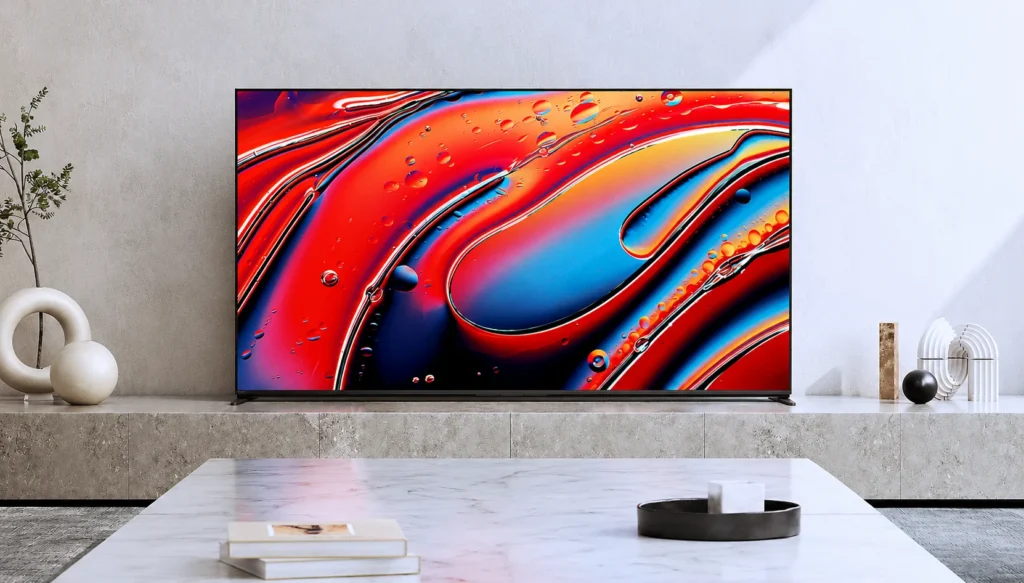
You would expect a two-year-old flagship to be the bargain of the pair. The Sony BRAVIA 9, Sony’s 2024 Mini LED flagship, is only just getting there. This Sony BRAVIA 9 review covers the original XR90 in late 2026, now sold as leftover retailer stock since the BRAVIA 9 II replaced it. In mid-November 2026 the 65-inch was running about $800 under the 9 II at Best Buy, which is roughly the line where this TV turns from overpriced into a genuinely good buy. So check today’s difference first, because the price tag decides more here than any feature on the box. The rest covers what it does best, who it will frustrate, and when to pay for the newer one.
The short answer: Yes, at the right price. The Sony BRAVIA 9 is a 4K Mini LED TV that gets very bright with little blooming, which makes it great for movies in bright rooms. Its limits are only two HDMI 2.1 ports and weaker off-angle viewing. Buy it at a clear discount to the BRAVIA 9 II.
Sony BRAVIA 9 Review: Is It Worth the Money in 2026?
Yes, if you can get it well below the BRAVIA 9 II’s price. It is still one of the best LCD TVs for movies in a bright room.
Two things changed since launch. Sony stopped building it, and the BRAVIA 9 II arrived with an RGB Mini LED backlight and a matte screen that, RTINGS says, “all but eliminates direct reflections entirely.” That is a real upgrade, and it is why the newer set carries a premium.
What did not change is the picture that made this TV a favorite with film fans. Sony built it to track its own BVM-HX3110 mastering monitor, used to grade films, and Sound & Vision measured HDR10 peaks close to 2,400 nits on a 10% window.
The price is where it gets interesting. At Best Buy in mid-November the 65-inch was about $800 below the 9 II, barely clearing the discount this TV needs. Owners in r/hometheater weighing Sony against TCL keep returning to one complaint, that “the Sony tax is real,” and at a difference that thin it is hard to argue with. Widen it and the math changes.
Sony BRAVIA 9 Pros and Cons
The BRAVIA 9’s big strengths are brightness, blooming control and processing; its main weaknesses are HDMI 2.1 ports and viewing angles.
Pros
- It stays bright without falling apart in the dark.
- Blooming is rare, which is the hard part for Mini LED.
- Sony’s processing makes bad sources look better, DVDs included.
- The built-in sound is decent for a TV, at 70W across 2.2.2 channels.
- Calibrated modes mean less fiddling on Netflix and Prime Video.
Cons
- Only two of the four HDMI ports run at 2.1 speeds, and one is eARC.
- Motion blurs in Game Mode.
- The glossy screen shows lamps and windows behind you.
- Contrast falls away at wide angles.
- No HDR10+, so Prime Video drops back to plain HDR10.
Sony BRAVIA 9 Specs at a Glance
The BRAVIA 9 is a 4K Mini LED LCD TV sold in 65, 75 and 85 inches, with Dolby Vision but no HDR10+. One number explains much of the rest: the dimming zone count climbs with screen size, from 1,512 on the 65-inch to 2,808 on the 85-inch, and more zones mean finer control over which parts of the backlight are lit.
| Spec | Sony BRAVIA 9 | Source |
| Model numbers (US) | K-65XR90, K-75XR90, K-85XR90 | RTINGS |
| Sizes | 65, 75 and 85 inches, no 55-inch | RTINGS |
| Panel | 4K LCD with a Mini LED backlight | Sound & Vision |
| Local dimming zones | 1,512 (65″), 1,920 (75″), 2,808 (85″) | RTINGS |
| Peak HDR brightness | About 2,400 nits on a 10% window | Sound & Vision |
| HDR formats | HDR10, Dolby Vision, HLG. No HDR10+ | Sony |
| HDMI | 4 ports, but only HDMI 3 and 4 are 2.1, and HDMI 3 is eARC | Sound & Vision |
| Speakers | 70W, 2.2.2 channels, Dolby Atmos and DTS | Sony |
| Price at review | $2,998 for the 65-inch, October 2024 | Sound & Vision |
| Street price | $2,798 for the 65-inch, against $3,599.99 for the BRAVIA 9 II | Best Buy |
| Status | Replaced by the BRAVIA 9 II in 2026 | RTINGS |
Prices and stock were confirmed in November 2026.
How Did We Put This Sony BRAVIA 9 Review Together?
We did not bench-test the BRAVIA 9 ourselves; this review brings together measured results from named reviewers and Sony’s specs. The brightness, port and sound figures come from RTINGS and Sound & Vision, the hands-on impressions from Digital Trends, and the everyday problems from owners posting in r/SonyBravia, r/bravia and r/4kTV. Prices came from Best Buy on the day this was updated.
What Does the BRAVIA 9 Do Best?
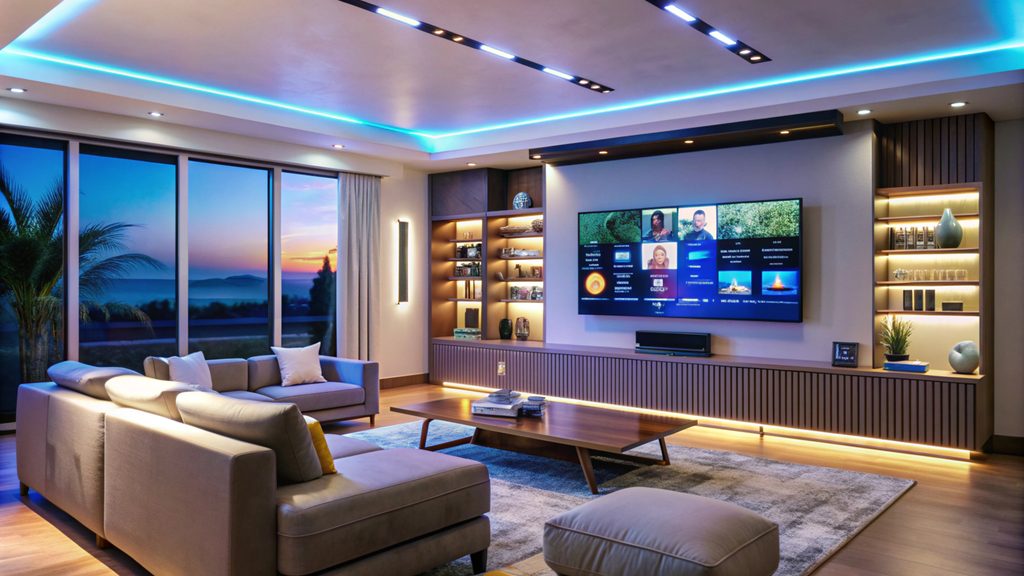
It does five things very well, and they all suit people who watch a lot of movies in a bright room.
It Stays Bright Without Falling Apart in the Dark
Sound & Vision measured HDR10 peaks “close to 2400 nits” on a 10% white window with the TV in Cinema mode. In a living room with the curtains open, that is the difference between a washed-out picture and one where sunlight on water still looks like sunlight.
Brightness and glare are separate problems, though. The BRAVIA 9 uses a glossy screen, and RTINGS found you still “see your lamp, wall light, or window on the screen” in a bright room. Sony’s anti-reflection coating handles soft, indirect light well, but a lamp pointed at the panel will show up. If your TV wall faces a window, that single limitation is the best reason to look at the matte-screened 9 II instead.
Blooming Is Rare, Which Is the Hard Part for Mini LED
Blooming is the halo around bright objects on a dark background, and it is the thing Mini LED TVs usually get wrong. RTINGS calls this set’s lighting zone precision “outstanding,” with “only a tiny bit of blooming around bright objects and subtitles.”
Local dimming does that work, and it is not the same as the dynamic contrast setting on a monitor, which swings the whole backlight at once. Here the backlight is cut into more than 1,500 zones on the 65-inch, so the screen keeps a starfield black while one star burns.
One quirk RTINGS found: open a settings menu, or even press volume, and blooming washes across the screen. It clears when the menu does.
Sony’s Processing Makes Bad Sources Look Better
This is the part reviewers keep returning to. RTINGS rates the BRAVIA 9’s upscaling “exceptional” with DVDs, standard definition cable and low-resolution streams, and its low-quality content smoothing “impressive.”
In practice, your cable box and your Netflix stream look cleaner than they do on most TVs this size. It also narrows the 4K vs 1080p difference, because a good 1080p Blu-ray run through Sony’s XR processor looks close to native 4K.
The Built-In Sound Is Decent for a TV
Reviewers disagree here, which tells you something. Sony fits a 70W, 2.2.2-channel system with Dolby Atmos and DTS, using tweeters in the sides and top of the panel rather than one full range speaker per side. Digital Trends‘ Caleb Denison called it “by a significant margin the best-sounding TV I’ve ever reviewed.”
Sound & Vision went the other way, finding the shallow cabinet makes the tone “a bit boxy, particularly in dialogue.” RTINGS lands between them: balanced and clear for speech, short on real bass. Plan for a soundbar if you watch action films.
Calibrated Modes Mean Less Fiddling
Sony works with the streaming services so the picture is set for you. The BRAVIA 9 carries Netflix Calibrated Mode and was the first TV to get Amazon’s Prime Video Calibrated Mode, both of which switch the picture settings automatically when you open those apps. Sony Pictures Core, which streams IMAX Enhanced titles, comes with 10 movie credits over 24 months.
Where Does the BRAVIA 9 Fall Short?
Its weak points are ports, an audio-sync bug, weight, viewing angles, remote lag, HDR10+ and the lack of a 55-inch size, and each one affects only certain buyers.
Only Two HDMI 2.1 Ports, and One Is eARC
The BRAVIA 9 has four HDMI inputs, but only HDMI 3 and 4 carry the full 2.1 bandwidth for 4K at 120Hz, and HDMI 3 doubles as the eARC port. Plug a soundbar in there and one fast port is left. Sound & Vision put it plainly: most premium 2024 TVs offered four.
Owners work around it. In r/bravia the usual advice is a cheap HDMI 2.1 splitter or a soundbar with its own passthrough, and the most repeated tip is to audit what really needs the bandwidth. An Apple TV, a Blu-ray player and a cable box run fine on HDMI 2.0.
A port plan that suits most setups:
- HDMI 3: Soundbar or AV receiver, since this is the eARC port.
- HDMI 4: Your main console, at 4K and 120Hz with VRR.
- HDMI 1 and 2: Streaming box, Blu-ray player, second console at 60Hz.
An Audio-Sync Bug Over ARC
RTINGS reported in September 2026 that Sony TVs on Android 14 drift out of sync with LPCM audio over ARC, measuring over 600 ms of delay on the BRAVIA 9 after long sessions. Sony’s software 114.603.100.1 followed days later, and What Hi-Fi’s Tom Parsons wrote that “early reports from some Sony Bravia owners suggest the audio sync and dropout issues might have been resolved.” Owners in r/SonyBravia still wait a few weeks before taking any Sony update.
It’s Thick and Very Heavy
Sony lists the 65-inch at 71.4 lb bare and 76.7 lb on its stand, and the 85-inch at 115.5 lb and 122.7 lb. That is a two-person lift at every size, and the mount has to be rated for it: VESA is 300 x 300 mm on the 65-inch, 400 x 400 mm on the 85-inch.
Measure the furniture too. The 65-inch stand spans 55.88 inches in its standard position, nearly the full width of the TV, though the feet fold to a 19-inch setting. RTINGS measured 3.74 inches of clearance when raised, enough for most soundbars.
Off-Angle Viewing Loses Contrast
This is a VA-type LCD, so the picture dims and washes out as you move off center. Sound & Vision found the horizontal angles “nicely wide for an LCD display, though not as wide as OLED levels,” and noted blacks take on a “faint milky blue haze” when you stand up and look down under overhead lights.
Do the sofa test first. If two people regularly watch from the far ends of a wide sectional, an OLED keeps the picture even where this one will not.
The Remote Can Lag Outside Game Mode
The menus themselves are quick. RTINGS calls the Google TV interface “smooth and easy to use” and Sound & Vision calls it “snappy.” What lags is playback control: RTINGS found input lag outside Game Mode is much higher, with “a noticeable delay when hitting buttons on the remote, like when pausing a movie.” The app selection is complete, and the backlit remote recharges over USB-C.
No HDR10+ Support
Sony skips HDR10+ across its range and uses its own tone mapping instead. The BRAVIA 9 handles HDR10, Dolby Vision and HLG, so HDR10+ content falls back to plain HDR10 with static metadata. Prime Video viewers notice this most, since Amazon leans on HDR10+. The real difference is small, because Sony’s processing already does much of the same job.
No 55-Inch Size, and It’s Now Old Stock
The BRAVIA 9 starts at 65 inches. For something smaller from Sony, the BRAVIA 7 and the BRAVIA 8 II OLED both come in 55-inch models.
Production has ended, so what is left is retailer stock, open-box units and renewed sets. Read the warranty terms on the last two. RTINGS also lists a Costco variant, the XR90C, in 65 and 75 inches with identical performance and longer cover, which earns its keep: one r/SonyBravia owner whose 2024 65-inch developed backlight problems was told to make a claim.
Is the BRAVIA 9 Better Than OLED?
It is better than OLED in bright rooms and for full-screen brightness; an OLED is better in dark rooms and at wide angles.
Where the BRAVIA 9 wins
- Bright rooms: Far more full-screen brightness than any OLED, so daytime sport stays punchy.
- Burn-in: As an LCD it is, in RTINGS’ words, “completely immune to permanent burn-in.”
- Big screens for less: An 85-inch OLED costs considerably more, where one exists at all.
Where an OLED wins
- Dark rooms: Pixel-level blacks with no halo whatever the content.
- Wide seating: The picture barely changes from the sides.
- Motion: Near-instant pixel response, where this set blurs in Game Mode.
Ports are not the OLED advantage people assume: Sony’s own BRAVIA 8 II OLED also tops out at “two full-bandwidth HDMI ports,” by RTINGS’ reckoning. LG is the exception, and What Hi-Fi lists the C5 with four 48Gbps HDMI 2.1 inputs. The same backlight-against-self-lit-pixels trade-offs run through QNED vs OLED.
Sony BRAVIA 9 vs BRAVIA 9 II: Which Should You Buy?
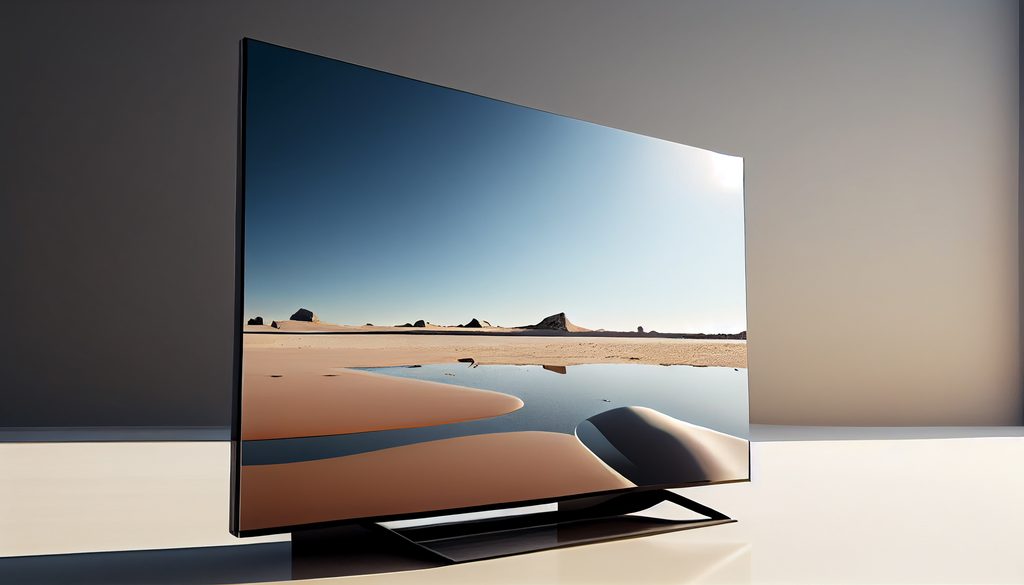
Buy the original BRAVIA 9 if it costs at least $800 to $1,000 less at the same size; otherwise buy the BRAVIA 9 II.
The 9 II changes three things: an RGB Mini LED backlight, a matte anti-reflective screen and a new 115-inch model, the K-115XR90M2. RTINGS calls it “a worthy successor and noticeable improvement,” crediting higher peak brightness and a coating that removes almost all direct reflections.
The matte screen is not a free win, and this is where owners and reviewers part company. One r/bravia owner who upgraded called the new coating “the biggest issue” and said gaming motion was “noticeably worse, with a lot of smearing/ghosting.” Another, in r/4kTV, returned their 9 II and said they regretted not buying an 85-inch BRAVIA 9 while it was on sale.
So the rule stands, and the subtraction is yours to do. In mid-November 2026 the two 65-inch sets were about $800 apart at Best Buy, scraping past the bar rather than clearing it. Discontinued stock moves fast in sale season, so price the BRAVIA 9 against the 65-inch BRAVIA 9 II on the day. Less than $800 apart, take the newer screen.
| TV | Panel | Best at | Main trade-off |
| Sony BRAVIA 9 | 4K Mini LED LCD, glossy | Bright-room movies at a clearance price | Glossy screen, two full-speed HDMI ports |
| Sony BRAVIA 9 II | RGB Mini LED LCD, matte | Rooms with lamps or windows behind you | Costs more, and owners report worse gaming motion |
| Sony BRAVIA 8 II | OLED | Dark-room film nights | Also only two full-bandwidth HDMI ports |
| LG C5 | OLED | Gaming across several devices | Much dimmer full-screen than Mini LED |
| Samsung QN90F | Mini LED LCD, matte | Glare control in the brightest rooms | No Dolby Vision |
Who Should Buy the Sony BRAVIA 9, and Who Should Skip It?
Buy it for movies in a bright room at a good discount; skip it if you game on several consoles or watch from wide angles.
Buy it if:
- You watch films and TV in a room with real daylight.
- You want near-OLED black levels with no burn-in risk.
- Your sources are mostly streams, cable or DVDs, where Sony’s processing earns its keep.
- You can find it at least $800 below the 9 II at the same size.
- You run one console and a soundbar, or will use a splitter.
Skip it if:
- A lamp or a window faces the screen directly.
- You own a PS5 and an Xbox Series X and want both at 4K/120 without rewiring.
- Competitive gaming is your priority, since motion blurs in Game Mode.
- Your seating spreads across a wide room.
- The discount is under $800, where the 9 II is the better buy.
What’s the Final Verdict in This Sony BRAVIA 9 Review?
The BRAVIA 9 is still a great movie TV in late 2026, but only as a discounted buy next to the BRAVIA 9 II. Nothing about the picture has aged badly, and the brightness, blooming control and processing still compete with TVs released since. What changed is that the newer model fixes the one thing this set cannot, a glossy screen in a room full of light, and today it asks only about $800 more for the privilege.
Best for: Film fans with a bright living room, one console, and the patience to wait for a real discount.
Frequently Asked Questions
Q: Is the Sony BRAVIA 9 Good?
Ans: Yes, it is one of the best Mini LED TVs for movies and bright rooms. RTINGS praises its black levels, brightness and upscaling. Its two real limits are the pair of full-speed HDMI 2.1 ports, one of them eARC, and a picture that loses contrast at wide angles.
Q: Is the BRAVIA 9 Being Discontinued?
Ans: Yes, Sony replaced it with the BRAVIA 9 II in 2026. The original is out of production, so what remains is retailer stock, open-box units and renewed sets. Costco’s XR90C variant performs identically and carries a longer warranty, which is the safer way to buy late stock.
Q: Is There a 55-Inch Sony BRAVIA 9?
Ans: No, it comes only in 65, 75 and 85 inches. If you need 55 inches from Sony, look at the BRAVIA 7, which RTINGS lists as the K-55XR70, or the BRAVIA 8 II OLED. Both cost less than the BRAVIA 9 did at launch.
Q: Is the BRAVIA 9 Good for PS5 Gaming?
Ans: Yes, it supports 4K at 120Hz, VRR and ALLM, though not 1440p. You have one full-speed HDMI port left once a soundbar takes the eARC port. RTINGS also measured higher input lag than rival flagships and found slow pixel transitions that blur fast motion in Game Mode.
Q: Is the BRAVIA 9 an OLED?
Ans: No, it is an LCD with a Mini LED backlight. Sony’s OLEDs are the BRAVIA 8 and the BRAVIA 8 II. The practical difference is that this set goes much brighter across the whole screen, while an OLED gives perfect blacks and a wider viewing angle.
Q: What’s the Difference Between the BRAVIA 9 and BRAVIA 7?
Ans: The BRAVIA 9 is brighter and has far more dimming zones, so it blooms less. RTINGS rates it the better TV on brightness, reflection handling, local dimming and response time. The BRAVIA 7 costs less and comes in a 55-inch size the BRAVIA 9 never had.
Q: Does the BRAVIA 9 Need a Soundbar?
Ans: Not right away, but most people will want one. The built-in 2.2.2 system handles dialogue clearly at 70W. A soundbar adds the bass and Atmos width the shallow cabinet cannot produce, and Sony lets the TV’s speakers act as a center channel with its own bars.
Q: What Size BRAVIA 9 Should I Get?
Ans: For a couch about 8 feet away, 75 inches is the sweet spot. Go 65 inches at 6 to 7 feet, 85 inches at 9 feet or more. Measure the wall too, because a diagonal hides real width, the same way how wide a 32 inch TV catches people out.


5 responses