

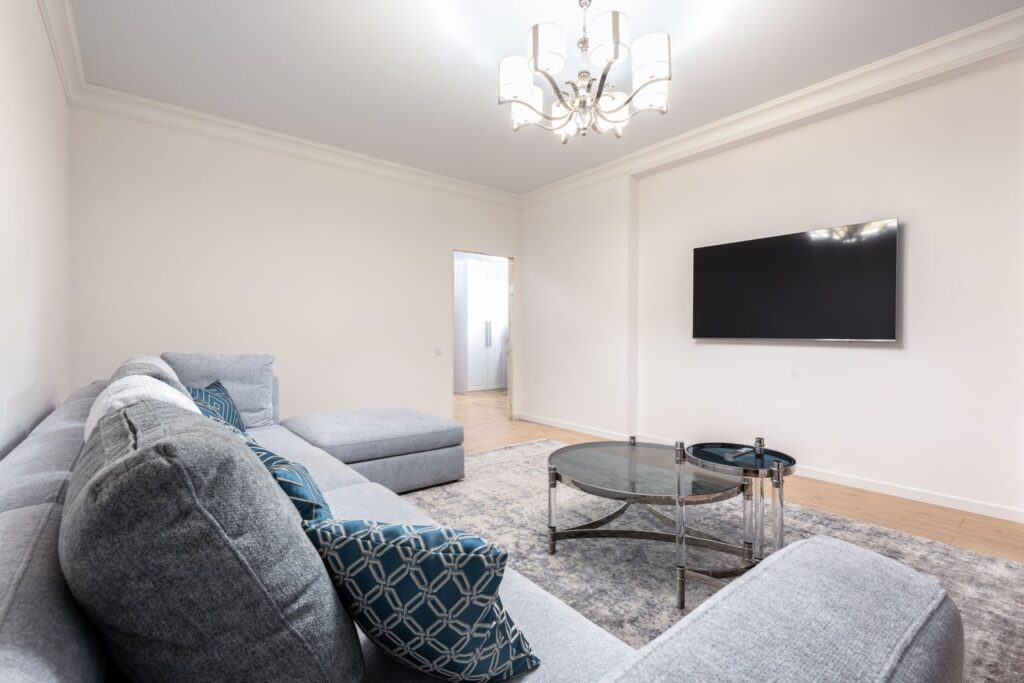
That big screen on the wall looks like it should be eating your electricity. It isn’t. A modern television draws less power than a kettle or a space heater, and often less than the light fixture above it.
Most people who ask how many watts does a TV use are bracing for a scary number. The real one is modest. Across the 175 televisions currently certified by ENERGY STAR, typical draw runs from under 25 watts at 24 inches to about 185 at 85 inches, though individual models span 9 to 344 watts. A 55-inch, a common living-room size, lands around 95 watts, and screen size explains far more of that spread than the panel technology does.
Below: watts by screen size, the per-hour and per-month math, what it costs at today’s electricity price, what standby really draws, and four ways to check your set.
Quick Answer: A typical TV draws 24 to 185 watts while you’re watching, depending on screen size. A 55-inch runs about 95 watts, the median across 21 certified models. In sleep mode, an ENERGY STAR television draws 0.5 watts or less. The math you need: watts x hours / 1,000 = kWh.
How Many Watts Does a TV Use by Screen Size?

A 55-inch television draws about 95 watts while it’s on, and the number climbs with screen area from there.
The table below comes from the ENERGY STAR certified television dataset, which publishes measured on-mode power for every certified model. We pulled all 175 US models and took the median and full range at each popular size.
| Screen Size | Certified Models | On-Mode Watts (Range) | Median Watts | kWh Per Hour | kWh Per Day at 5 Hours |
|---|---|---|---|---|---|
| 24-inch | 3 | 23.7 to 24.3 W | 23.8 W | 0.024 | 0.12 |
| 32-inch | 9 | 27 to 36 W | 31.1 W | 0.031 | 0.16 |
| 43-inch | 11 | 45 to 78 W | 64.1 W | 0.064 | 0.32 |
| 50-inch | 11 | 61 to 90 W | 68.4 W | 0.068 | 0.34 |
| 55-inch | 21 | 64 to 114 W | 95.5 W | 0.096 | 0.48 |
| 65-inch | 23 | 85 to 135 W | 117.7 W | 0.118 | 0.59 |
| 75-inch | 14 | 120 to 176 W | 152.2 W | 0.152 | 0.76 |
| 85-inch | 7 | 166 to 215 W | 184.6 W | 0.185 | 0.92 |
Median and range of on-mode power for ENERGY STAR certified televisions, pulled in November 2026.
- Small Screens, 24 to 32 Inches: The only sets that stay under 40 watts, with so little light to produce that a 32-inch bedroom TV costs about what a phone charger left plugged in all month does.
- Mid-Size and Large Screens, 43 Inches Up: Wattage tracks the glass almost exactly. Power roughly triples between the 32-inch and 55-inch rows, and so does the screen area. An 85-inch pulls about six times a 32-inch while carrying seven times the area, so the biggest panels are marginally more efficient per square inch.
Two caveats: only three certified models exist at 24 inches, so read that row as indicative, and older or non-certified sets can run well above these figures.
How Many Watts Does a TV Use Per Hour, Per Day and Per Month?
A TV’s wattage is also its watt-hours per hour: a 100-watt set uses 0.1 kWh during one hour of viewing.
The formula is short enough to do in your head:
- watts x hours per day / 1,000 = kWh per day
- kWh per day x 30 = kWh per month
- kWh per day x 365 = kWh per year
Take a round 100-watt television watched five hours a day. That’s 100 x 5 = 500 watt-hours, or 0.5 kWh per day, 15 kWh per month and 182.5 kWh per year.
| Hours Watched Per Day | kWh Per Day | kWh Per Month | kWh Per Year |
|---|---|---|---|
| 3 hours | 0.3 | 9 | 109.5 |
| 5 hours | 0.5 | 15 | 182.5 |
| 8 hours | 0.8 | 24 | 292.0 |
A 100-watt example television.
Five hours a day is the standard assumption, and it checks out. Each size’s median wattage times five hours times 365 days lands within a few percent of the annual kWh ENERGY STAR publishes for those same models: 174 against 181 at 55 inches, 337 against 345 at 85 inches.
How Much Does It Cost to Run a TV?
At the current US average electricity price, running a television five hours a day costs between about 65 cents and $5 a month, depending on screen size.
The US Energy Information Administration puts the average residential price at 18.16 cents per kWh for August 2026, a preliminary figure and the most recent published. Our 100-watt example used 15 kWh in a month, so 15 x $0.1816 = $2.72 a month.
| Screen Size | Median Watts | Monthly Cost at 5 Hours a Day | Yearly Cost |
|---|---|---|---|
| 24-inch | 23.8 W | $0.65 | $7.90 |
| 32-inch | 31.1 W | $0.85 | $10.30 |
| 43-inch | 64.1 W | $1.74 | $21.23 |
| 50-inch | 68.4 W | $1.86 | $22.66 |
| 55-inch | 95.5 W | $2.60 | $31.65 |
| 65-inch | 117.7 W | $3.21 | $39.00 |
| 75-inch | 152.2 W | $4.15 | $50.45 |
| 85-inch | 184.6 W | $5.03 | $61.18 |
Calculated at 18.16 cents per kWh. Swap in the rate from your own bill, which varies widely by state.
One number to treat carefully: the yellow EnergyGuide label on a new TV shows an estimated yearly energy cost, and 16 CFR 305.25 sets the arithmetic. That estimate runs on “5 hours in on mode and 19 hours in standby (sleep) mode per day, and an electricity cost rate of 16 cents per kWh.” Electricity now averages 18.16 cents, so the label runs about 14 percent light for the average household: a 55-inch labeled $28.90 a year is nearer $32.80 today. Compare models on its kWh figure instead.
Do OLED, QLED and LED TVs Use Different Amounts of Power?
Panel type changes the number by roughly 10 to 20 percent at the same screen size, which is less than most buyers expect. Brightness and screen area move it much more.
Like for like in the ENERGY STAR data, the median 55-inch OLED draws 99.5 watts against 83.9 for the median 55-inch LED/LCD, about 19 percent more. At 65 inches that narrows to roughly 9 percent.
| Panel Type | How It Makes Light | Power Pattern | Typical On-Mode Range |
|---|---|---|---|
| LED / LCD | A white LED backlight shines through an LCD layer | Tracks the backlight setting, much the same scene to scene | 9 to 189 W across all certified sizes |
| QLED / QNED | An LED backlight plus a quantum-dot layer for color | Similar to LED/LCD, higher on the brightest models | 63 to 344 W across all certified sizes |
| OLED | Each pixel makes its own light and dark pixels switch off | Varies with what’s on screen, highest on bright scenes | 57 to 215 W across all certified sizes |
| Plasma (older sets) | Gas cells excited to produce light | Heavy draw for the picture size | No ENERGY STAR figure, long discontinued |
| CRT (older sets) | An electron beam scanned across a phosphor tube | Heavy draw for a small screen | No ENERGY STAR figure, long discontinued |
Ranges cover every certified model of that type, from 13-inch to 114-inch. Plasma and CRT left certification years ago, so check the rating label.
OLED is the one type whose draw moves with the picture: pixels showing black use no power, while a bright white screen lights every one of them. RTINGS, which measures TVs with a plug-in meter, reports that “power consumption varies from TV to TV and with the type of content you watch,” and in its 2021 round-up seven of the ten most power-hungry 4K sets were OLEDs. A dark film costs less on an OLED than a hockey game on a white rink. If you’re weighing the two panel types, QNED vs OLED compares them on picture rather than running cost.
Resolution is a smaller lever than people assume. A 4K and a 1080p set of the same size and brightness land close together, which is also why 4K vs 1080p turns on picture detail rather than watts. An 8K set is the exception, since four times the pixels need noticeably more power.
How Many Watts Does a TV Use on Standby?

An ENERGY STAR certified television “must consume 0.5 watts or less in Sleep Mode,” which works out to 4.38 kWh and about 80 cents a year if you never unplug it.
The certified data runs lower still, with one exception. With the network off, 84 models report 0.18 to 0.45 watts, median 0.30. Switch network standby on and the median rises to 0.40 watts, with 20 of 87 models going above 0.5 and topping out at 0.86. That is the price of a set that wakes to a voice command or a cast from your phone, features the Department of Energy’s TV test method names directly: quick start, wake-by-smart-speaker and wake-on-cast. Even then, the annual bill is $1.37.
Is It Cheaper to Leave the TV On or Turn It Off? Turning it off wins every time. Leaving a 55-inch running for the other 19 hours of the day adds about 662 kWh a year, roughly $120. Letting it sleep through those hours costs 2.8 kWh, or 50 cents.
Unplugging it on top of that is a different question, and owners who have measured say the saving barely registers. In a long-running r/Frugal thread, the claim that a plugged-in TV costs $160 a year was corrected in the replies to $5 to $10, and a newer r/homeownerstips discussion landed in the same place. Switch the screen off and you’ve captured nearly all of the saving.
How Do You Find Your TV’s Exact Wattage?
There are 4 ways, and the quickest is the rating label on the back. Only the last, a plug-in meter, reflects your own brightness settings.
Check the Rating Label on the Back
Look for a sticker near the power socket. Some makers print watts directly. Others print only volts and amps, and volts x amps gives a maximum rather than a typical draw: a label reading 120 V and 1.5 A means the set can pull up to 180 watts, not that it does.
Read the EnergyGuide Label
The yellow label carries an estimated yearly cost in dollars and an estimated yearly consumption in kWh. Both assume five hours of viewing a day, and the dollar figure uses the FTC’s 16-cent rate, so compare on kWh and work out the dollars yourself.
Look Up the Spec Sheet or ENERGY STAR Listing
Find the model number on the same rear label, then search the maker’s support site for “power consumption (typical).” If the set is certified, the ENERGY STAR product finder lists its measured on-mode power, both standby figures and annual kWh.
Measure It With a Plug-In Watt Meter
A plug-in meter goes between the wall and the TV and reads live watts. Measure a few minutes of normal viewing, then a few with the set asleep. Be ready for an anticlimax: across r/Frugal threads, the common reaction from meter buyers is that almost everything draws less than they assumed.
What Makes a TV Use More Watts?
Backlight brightness is the biggest of the 6 factors below that you can actually change, and screen size is the one you can’t. RTINGS found that consumption “almost perfectly scales with brightness.”
- Screen Size: More area to light means more power, and this dominates everything else.
- Backlight or Brightness Level: Running at maximum rather than a comfortable indoor level changes the draw substantially on the same set.
- Picture Mode: Vivid and Dynamic push the backlight hard. Standard, Eco and Filmmaker pull it back.
- HDR Content: High dynamic range asks the panel for more peak brightness, so an HDR film draws more than the same film in SDR.
- Automatic Brightness Control: ENERGY STAR calls this “a self-acting mechanism that controls the brightness of the TV relative to the brightness of the room.” It lowers the backlight in a dim room on its own.
- Everything Else Plugged In: A soundbar, console or streaming stick draws its own power on top. Console owners on r/samsung point out that a PS5 can pull around 200 watts while gaming, more than most televisions it’s connected to.
How Many Amps Does a TV Use?
Divide watts by your outlet voltage: on a US 120-volt circuit, a 120-watt TV draws about 1 amp.
Using the medians above, a 32-inch pulls around 0.26 amps, a 55-inch about 0.80 amps and an 85-inch roughly 1.54 amps. Each is a fraction of a standard 15-amp circuit, so the TV is never what trips your breaker. Switching on draws a brief surge above the running figure, normal and under a second.
Can a Generator, Power Station or Power Bank Run a TV?
Yes, as long as its continuous AC output beats the TV’s wattage: of the 122 certified models with a published figure, 121 draw 250 watts or less, so a 300-watt unit runs the television with room to spare.
The usual question is how long. Power-station owners in r/UKPreppers use a simple rule: battery watt-hours x 0.85, divided by the appliance’s watts, gives the hours. The 0.85 allows for energy lost turning the battery’s DC into AC, and the thread’s consensus is that you never get the full rated capacity out. For a 55-inch at 95 watts, a 1,000 Wh station gives roughly nine hours. Owners in r/prepping describe running a 65-inch TV and a projector through a day-long outage.
Phone power banks are a different animal, since most carry USB ports and no AC outlet, which is why the best power banks are built for phones and laptops. A TV needs an inverter and a wall socket.
If you go the generator route, keep it outside. The Consumer Product Safety Commission is blunt: “Never use portable generators inside homes or garages, even if doors and windows are open. Use generators outside only, at least 20 feet away from homes with exhaust facing away.” More than 100 US deaths a year from carbon monoxide poisoning are linked to portable generators.
How Can You Cut Your TV’s Power Use?
Lower the backlight and move off Vivid mode. The first 2 of the 6 tips below reach the single largest draw on the set, and neither costs anything.
- Turn the Backlight Down: Most TVs ship far brighter than a living room needs. Drop it until the picture looks right in your own light.
- Switch to Eco or Standard Picture Mode: Both cap the backlight, as does Filmmaker mode.
- Turn On the Light Sensor: Automatic brightness control dims the panel in a dark room, where most evening viewing happens.
- Use the Sleep Timer: If you fall asleep in front of the TV, a timer stops it running to an empty sofa.
- Turn Off Quick Start: It keeps the set part-awake for a faster boot and raises standby draw.
- Choose a Certified Model Next Time: ENERGY STAR certified televisions are “on average, about 34% more energy efficient than conventional models.”
At Best Electronics Guide, every wattage here comes from the ENERGY STAR certified television dataset and every price from the EIA’s Electric Power Monthly, and your own set can differ from the medians, so check its rating label.
Frequently Asked Questions
How Much Electricity Does a 55 Inch TV Use?
A 55-inch television draws about 95 watts, the median of 21 ENERGY STAR certified models, with a full range of 64 to 114 watts. At five hours a day that’s 0.48 kWh daily and roughly 14 kWh a month, about $2.60 at the US average electricity price.
How Much Power Does a 43 Inch TV Use?
A 43-inch TV typically draws 45 to 78 watts, with a median of 64 watts across certified models. Watched five hours a day, that comes to 0.32 kWh daily and about 9.6 kWh a month, or roughly $1.74 on a US electricity bill.
How Many Watts Does a 65 Inch TV Use?
A 65-inch television draws between 85 and 135 watts, with a median of 118 watts. OLED models and bright HDR viewing land at the top of that range, since the median 65-inch OLED pulls about 9 percent more than the median LED set of the same size.
How Many Watts Is a 32 Inch TV?
A 32-inch LED TV draws 27 to 36 watts, with a median of 31 watts across certified models. That makes it one of the cheapest screens in the house to run, costing roughly 85 cents a month at five hours of viewing a day.
How Many Watts Does a Smart TV Use Per Hour?
A smart TV uses the same watts per hour as any other TV of its size, since smart features add very little while the screen is on. The difference shows in standby: certified sets with network wake draw up to 0.86 watts asleep, against 0.45 with it off.
Does Having the TV on All Day Use a Lot of Electricity?
A 55-inch running 12 hours a day uses about 1.15 kWh daily, roughly $6.24 a month. Left on all 24 hours it uses 2.29 kWh a day, around $12.49 a month or $152 a year. Noticeable on a bill, though still far below heating or cooling.
Can a 300 Watt Generator Run a TV?
Yes, for almost any modern television. Of 122 certified models with published figures, 121 draw 250 watts or less, so 300 running watts covers the TV with headroom. Check the generator’s running rating rather than its peak rating, and remember anything else you plug in shares that 300 watts.
How Big of a Power Bank Do I Need to Run a TV?
It needs an AC outlet, which rules out most phone power banks. Work out the watt-hours you need as TV watts x hours / 0.85 to allow for conversion losses. Running a 95-watt 55-inch for four hours needs roughly 450 Wh, so a 500 Wh station just covers it.
Screen size drives both the wattage above and the picture you get, which is where the TVs & Home Entertainment guides pick up.


